What You'll Build
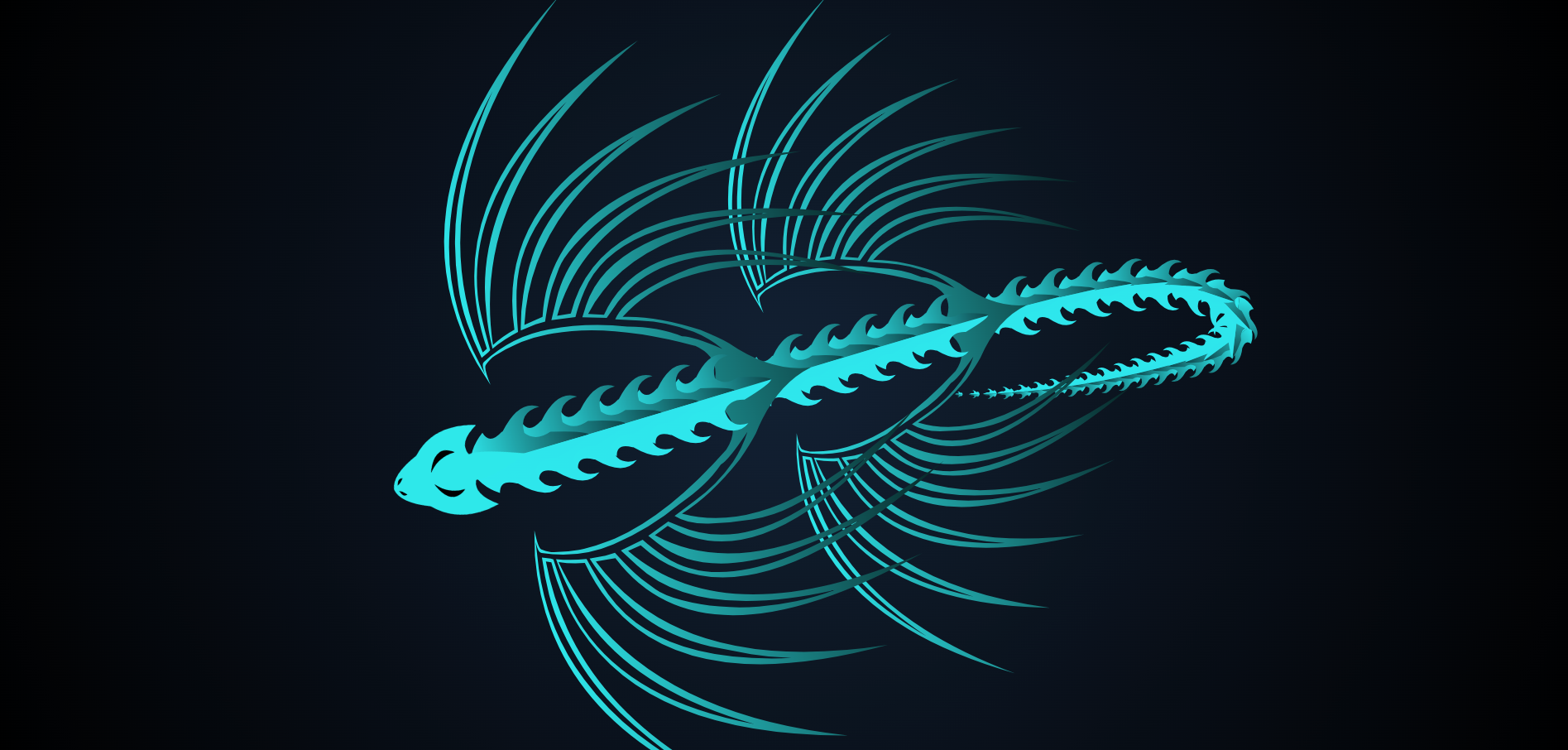
A dragon cursor effect is an interactive custom cursor animation built with SVG, CSS, and JavaScript where a dragon follows the mouse pointer, rotates toward it, and trails behind with segmented motion effects.
In this tutorial, you'll create an interactive dragon cursor effect entirely from scratch — no libraries, no canvas, just clean HTML, CSS, SVG, and vanilla JavaScript. The result is a fully animated dragon that tracks your mouse, rotates to face it, and trails behind with realistic body segment motion.
This is one of the most impressive creative cursor effects you can build for a portfolio, gaming site, or interactive landing page. It combines SVG animation, JavaScript mouse tracking, and CSS transforms into a single cohesive effect.
Key Features of This Dragon Cursor Effect
How It Works — Step by Step
Let's break down the seven core techniques that power this dragon cursor effect, from SVG structure to the animation loop.
SVG Dragon Structure
The dragon is built using grouped <g> elements inside an
<svg> tag. Each part — head, body segment, wing, and tail —
is a separate group with its own transform-origin, enabling
independent rotation without affecting the rest of the body.
CSS Idle Animations
Even when the mouse is still, the dragon stays alive. CSS @keyframes
apply a gentle scale pulse to the body (breathing) and a rotation oscillation to
the wings (flapping). Each part uses a different animation-delay
for a natural, offset rhythm.
Capturing Mouse Position
A mousemove listener on the document stores the
cursor's event.clientX and event.clientY into a
target object. The actual movement toward that target happens separately inside
the animation loop — not directly on the event — to keep rendering smooth.
Math.atan2 — Angle Calculation
Math.atan2(targetY - currentY, targetX - currentX) returns the
angle (in radians) from the dragon's head to the cursor. Converting to degrees
and applying it as a CSS rotate() transform makes the head always
face the mouse, no matter where it moves.
Trailing Body Segments
An array stores the last N cursor positions (one per body segment). On each animation frame, the head moves toward the mouse, then each body segment is placed at an earlier entry in the position history. This lag makes the body realistically trail behind the head like a snake in motion.
requestAnimationFrame Loop
The main update function calls itself recursively with
requestAnimationFrame(update). This syncs the animation to the
display's refresh rate (~60fps), preventing over-rendering and ensuring
buttery-smooth motion without setInterval timing drift.
prefers-reduced-motion Support
Before starting the loop, the code checks
window.matchMedia('(prefers-reduced-motion: reduce)').matches.
If the user has requested reduced motion in their OS settings, the animation
loop does not start. This ensures the effect is accessible and compliant
with WCAG 2.1 guidelines.
if ('ontouchstart' in window) return; before starting the animation to skip
it on touch devices gracefully.
JavaScript & SVG Concepts Used
This project is an excellent way to practice these intermediate-to-advanced web techniques:
- SVG Grouping & Transforms — Using
<g>tags withtransform-originfor modular, independently animated parts. - JavaScript Trigonometry —
Math.atan2(),Math.cos(), andMath.sin()for direction and smooth interpolation. - requestAnimationFrame — Building a performant 60fps animation loop that syncs with the browser's paint cycle.
- Positional Array History — Storing past positions in an array to create trailing motion effects.
- CSS Keyframe Animations — Layering multiple
@keyframeswith different delays to simulate breathing and wing motion. - Accessibility — Detecting and respecting
prefers-reduced-motionfor inclusive design. - Event Delegation — Capturing mouse events at the document level for global coverage.
Video Demo
Watch the dragon cursor effect in action before diving into the code:
Frequently Asked Questions
How do I create a custom cursor effect with JavaScript?
cursor: none on the body. Create an SVG or HTML
element for your custom cursor. Listen to mousemove and update the element's
position using event.clientX and event.clientY. Apply CSS transforms
for smooth positioning. Full source code is in the tabs above.
How does the dragon trailing body animation work?
What is Math.atan2 used for in cursor animations?
Math.atan2(y, x) returns the angle (in radians) between the positive x-axis
and the point (x, y). In this project it calculates the direction from the dragon's head
to the cursor, allowing the head to rotate and always face the mouse position precisely.
Will this cursor animation hurt page performance?
requestAnimationFrame, the animation runs at
exactly the display refresh rate and never over-renders. Avoid updating DOM positions
directly inside the mousemove handler; always defer rendering to the animation
frame for best performance.
Does a custom cursor work on mobile?
if ('ontouchstart' in window) return; at the start of your script to
gracefully skip the animation on touch devices and avoid any wasted computation.
How do I support prefers-reduced-motion?
window.matchMedia('(prefers-reduced-motion: reduce)').matches before
starting the animation loop. If it returns true, skip starting
requestAnimationFrame entirely and optionally show a static version of
the cursor instead. This respects WCAG 2.1 accessibility guidelines.
Conclusion
The dragon cursor effect is one of the most visually striking things you can build with vanilla web technologies. By combining SVG modular structure, JavaScript trigonometry, a position history trail, and a requestAnimationFrame loop, you get a production-quality interactive animation with zero dependencies.
Whether you're building a gaming site, a creative portfolio, or just want to master advanced JavaScript animation techniques, this project covers the real-world patterns that matter. Copy the code, customize the SVG dragon design, and make it yours.
Found this useful? Check out the related projects in the sidebar for more creative web animations.