What You'll Build
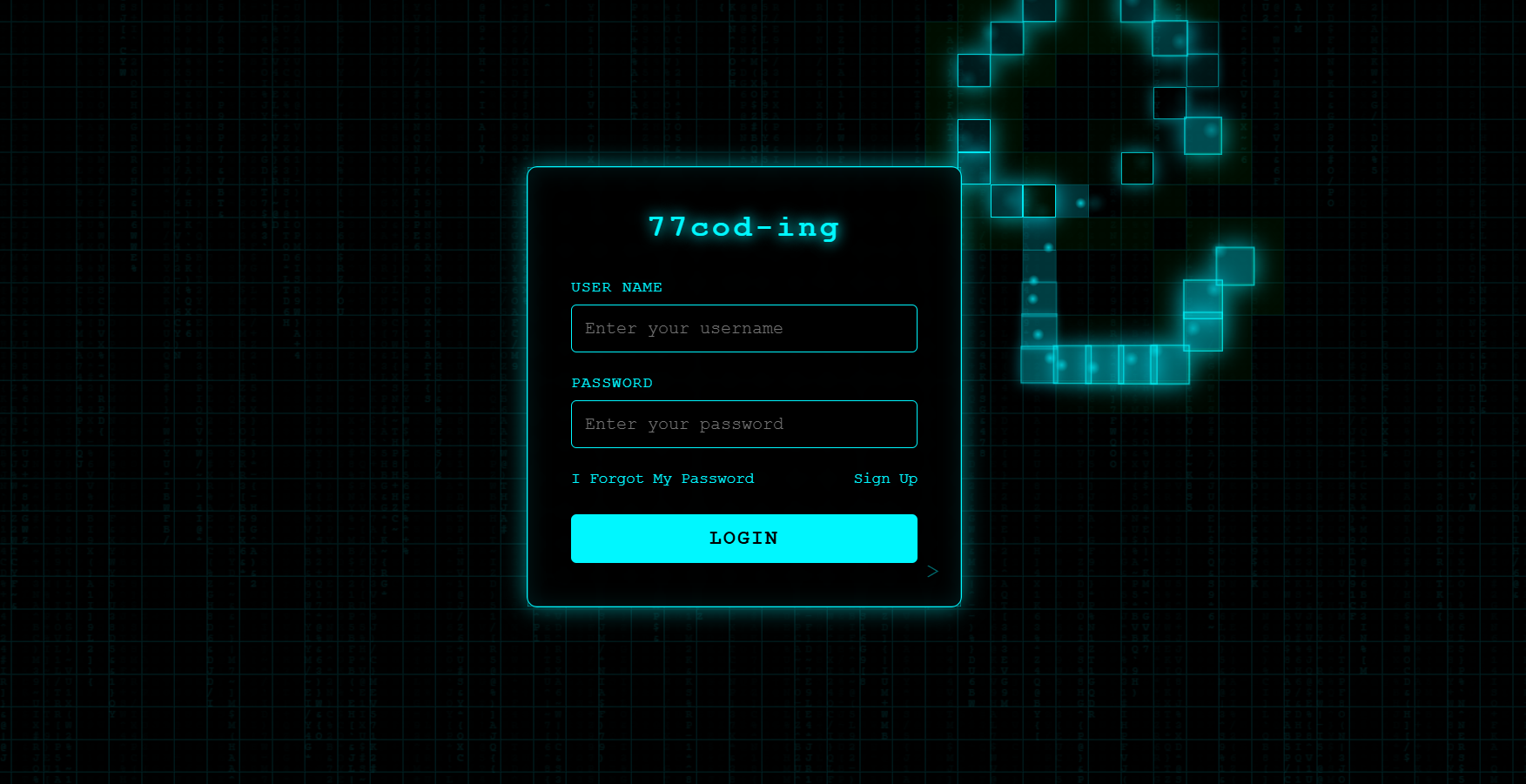
In this tutorial, you'll build a Matrix style login page entirely from scratch — no libraries, no frameworks, just HTML, CSS, and vanilla JavaScript. The page features a full-screen canvas-based digital rain animation inspired by The Matrix, with a login form floating above it using neon green glow effects on inputs and buttons.
This project is ideal if you want to practice the HTML5 Canvas API, requestAnimationFrame for smooth animations, CSS glow effects with layered box-shadows, and z-index layering to combine animated backgrounds with functional UI components — all in one visually striking project.
Key Features of This Matrix Login Page
Canvas API and
requestAnimationFrame for smooth 60fps rendering.
box-shadow and text-shadow create
realistic neon tube glow on form fields and buttons.Full Source Code (Free)
The project uses three files: HTML for the semantic form structure and canvas element, CSS for the dark theme, neon glow effects, and form positioning, and JavaScript for the canvas-based Matrix rain animation and form interactivity. Use the tabs to switch between them.
/* Loading source code... */// Loading source code...index.html in
your browser. The Matrix rain animation starts immediately and the login form appears centered over it — no
server required.
How It Works — Step by Step
Here's a breakdown of the six core techniques behind this Matrix login page, from the HTML structure to the canvas animation engine.
Semantic HTML Form Structure
Start with a clean, semantic <form> element containing labeled inputs
for username/email and password. Add a full-screen <canvas> element
positioned behind the form. Keep the markup minimal to ensure accessibility and
maintainability — the canvas is purely decorative and has role="presentation".
Dark Theme with Neon Glow CSS
Apply a near-black background (#000 or #0a0a0a) combined with
neon green accents. Use multiple layered box-shadow values on inputs
(e.g., 0 0 5px #00ff00, 0 0 15px #00ff0088, 0 0 30px #00ff0044) to simulate
neon tube light dispersion. Monospace fonts enhance the Matrix aesthetic while maintaining readability.
Canvas-Based Matrix Rain Engine
JavaScript creates a full-screen canvas and divides it into vertical columns. Each column
tracks a Y-position that increments on every frame. Random characters (Katakana, numbers,
symbols) are drawn in green with varying opacity. requestAnimationFrame() drives
the loop for smooth 60fps animation. When a column reaches the bottom, it resets to the top
with a random delay.
Z-Index Layering & Backdrop Blur
The canvas sits at z-index: 0, the login form at z-index: 10.
The form container uses a semi-transparent dark background
(rgba(0, 0, 0, 0.85)) and optionally backdrop-filter: blur()
to create a glass-morphism effect that keeps text readable while the rain remains visible
around the edges.
Interactive Glow States
On :focus, inputs receive additional shadow layers to intensify the glow.
Buttons scale slightly on :hover with a transition. These micro-interactions
keep the form feeling responsive without distracting from the background animation.
All transitions use cubic-bezier easing for a polished feel.
Responsive & Performance Optimized
On smaller screens, the column count is reduced, font sizes scale down, and the form
width adapts. The animation checks window.innerWidth on resize to recalculate
column spacing. For performance, the character set can be limited and the drawing operation
uses fillRect with low alpha to create a natural fade trail instead of clearing
the canvas each frame.
clearRect every
frame —
instead, draw a semi-transparent black rectangle over the canvas to create the fade trail effect, which is
significantly more performant.
JavaScript & CSS Concepts Used
This project covers these intermediate-to-advanced web development techniques:
- HTML5 Canvas API — Creating a drawing surface, setting dimensions, and rendering text characters frame by frame.
- requestAnimationFrame — Building a performant animation loop that syncs with the display refresh rate and pauses when the tab is hidden.
- CSS Layered box-shadow — Multiple shadow values at increasing blur radii to simulate realistic neon light dispersion.
- CSS z-index Stacking — Layering a decorative canvas behind a functional form while maintaining click and focus behavior.
- backdrop-filter: blur() — Glass-morphism effect that softens the animation behind the form for readability.
- CSS Custom Properties — Centralizing glow color, font family, and animation speed in
:rootfor easy theming. - Responsive Canvas Resizing — Recalculating canvas dimensions and column counts on
window.resizeevents. - Form Accessibility — Proper
<label>elements,aria-labelattributes, and keyboard navigation support. - prefers-reduced-motion — Pausing or simplifying animations for users who have enabled reduced motion in their OS settings.
Benefits for UX, Security Perception & Branding
A Matrix style login page does more than look cool — it actively influences how users perceive your platform. Here's why this design choice matters beyond aesthetics.
- Improved First Impression: Users immediately recognize a premium, tech-focused interface that stands out from generic login forms.
- Enhanced Security Perception: Advanced visuals are subconsciously associated with advanced systems, increasing user trust when combined with proper HTTPS and security headers.
- Higher Memorability: Unique visual identities make your platform more recognizable and shareable — users remember the "cool Matrix login" and talk about it.
- Brand Differentiation: In a sea of plain white login forms, a Matrix-themed page instantly communicates that your brand is innovative and tech-savvy.
- Performance-Friendly: Canvas-based animations are GPU-accelerated and can be optimized to run smoothly even on mid-range mobile devices.
- Target Audience Alignment: This style resonates strongly with tech, cybersecurity, gaming, and developer communities — your core audience.
Accessibility & Best Practices
- Ensure all inputs have visible
<label>elements linked viafor/idattributes — no placeholder-only labels. - Add
aria-labelon the<form>element describing its purpose (e.g., "Login to your account"). - Set
role="presentation"on the canvas element since it's purely decorative and should be ignored by screen readers. - Provide sufficient contrast between text and background — green on near-black passes WCAG AA for large text.
- Respect
prefers-reduced-motionby disabling or significantly simplifying the rain animation when the user has enabled reduced motion. - Allow full keyboard navigation with visible
:focus-visiblestates on all form controls and the submit button. - Ensure the form remains fully functional with JavaScript disabled — the rain is a progressive enhancement, not a requirement.
Common Mistakes to Avoid
- Overloading animations: Too many simultaneous effects (rain + particles + glow pulses) distract from the login action and hurt performance.
- Low contrast text: Green text that's too dim becomes unreadable over the animated background — always test contrast ratios.
- Heavy JavaScript loops: Drawing thousands of characters per frame on low-end devices causes frame drops. Cap the column count and use efficient drawing methods.
- Ignoring mobile responsiveness: A full desktop column count on a phone creates an unreadable mess. Always reduce density on smaller screens.
- No reduced-motion fallback: Some users experience motion sickness or have vestibular disorders. Always provide a static alternative.
- Using setInterval instead of rAF:
setIntervaldoesn't sync with the display refresh rate and keeps running when the tab is hidden, wasting resources. - Forgetting form semantics: Wrapping inputs in
<div>instead of<form>breaks submit-on-Enter behavior and screen reader navigation.
Frequently Asked Questions
How do I create a Matrix rain effect on a login page using JavaScript canvas?
<canvas> element positioned behind your login form with CSS.
In JavaScript, define an array of columns, each tracking a Y-position. On each animation frame using
requestAnimationFrame(), draw random characters (Katakana, numbers, symbols) at each column's
position, then increment the Y value. When a column reaches the bottom, reset it to the top with a random
delay. Apply green color with varying opacity to simulate the classic Matrix digital rain. Full source
code
is available in the tabs above.
How does the neon green glow effect work on login form inputs?
box-shadow values on the input elements.
For example: box-shadow: 0 0 5px #00ff00, 0 0 15px #00ff0088, 0 0 30px #00ff0044.
Each layer has increasing blur radius and decreasing opacity, simulating how real neon light disperses.
On :focus, additional shadow layers are added to intensify the glow, giving the user clear
visual feedback that the field is active.
Is the Matrix rain animation performance-friendly on mobile devices?
requestAnimationFrame instead of setInterval. You can also detect device
performance and adjust the animation density dynamically. Instead of clearing the canvas every frame, draw
a
semi-transparent black rectangle to create the fade trail — this is significantly more performant. The
code
in this tutorial includes responsive adjustments for mobile viewports.
Why use canvas instead of CSS for the Matrix falling code animation?
How do I keep the login form readable over the animated Matrix background?
rgba(0, 0, 0, 0.85)) that dims the animation behind it. (2)
backdrop-filter: blur() adds a glass-morphism effect that softens the rain behind the form
edges. (3) The form has a higher z-index to sit above the canvas layer. This combination
keeps the form fully readable while the animation remains visible around the edges, creating depth without
sacrificing usability.
How do I make a Matrix style login page accessible to screen readers?
<label> elements linked to each input via for/id
attributes. Use aria-label on the form itself describing its purpose. Ensure all interactive
elements are keyboard-navigable with visible :focus-visible states. Add
role="presentation" to the canvas element since it's purely decorative. Most importantly,
respect prefers-reduced-motion by pausing or simplifying the animation when the user has
enabled reduced motion in their OS settings — this is critical for users with vestibular disorders.
Can I change the Matrix rain color from green to another neon color?
fillStyle property in the JavaScript canvas
drawing code and by CSS custom properties for the form glow. To change it to cyan, for example, replace
#00ff00 with #00d9ff in both the JS fillStyle and the CSS box-shadow values.
The best approach is to define a CSS custom property like --glow-color: #00ff00 and reference
it everywhere — then it's a single-line change to retheme the entire page to any neon color.
Is this Matrix login page project good for beginners learning JavaScript?
requestAnimationFrame
loops, CSS positioning with z-index layering, and form accessibility. It's an ideal third or fourth
project
for someone who has built basic forms and simple CSS animations, and wants to level up to canvas-based
visual
effects combined with real UI components. If you're comfortable with basic DOM manipulation and CSS, you
can
follow along — each step is explained in detail above.
Conclusion
This Matrix style login page demonstrates how canvas-based animations and CSS glow effects can transform a simple authentication form into a memorable brand experience. By combining the HTML5 Canvas API for the digital rain, layered CSS box-shadows for neon glow, z-index stacking for form-over-animation layout, and requestAnimationFrame for performant rendering — you get a production-quality visual project with zero dependencies.
Whether you're building a cybersecurity product, a gaming platform, a developer tool, or just want to master the Canvas API — this project covers the real-world techniques that make login pages unforgettable. Copy the code, change the glow color, adjust the rain speed, and make it yours.
Found this useful? Explore more HTML CSS JavaScript projects in the sidebar.