What Is a Modern Sign In Form?
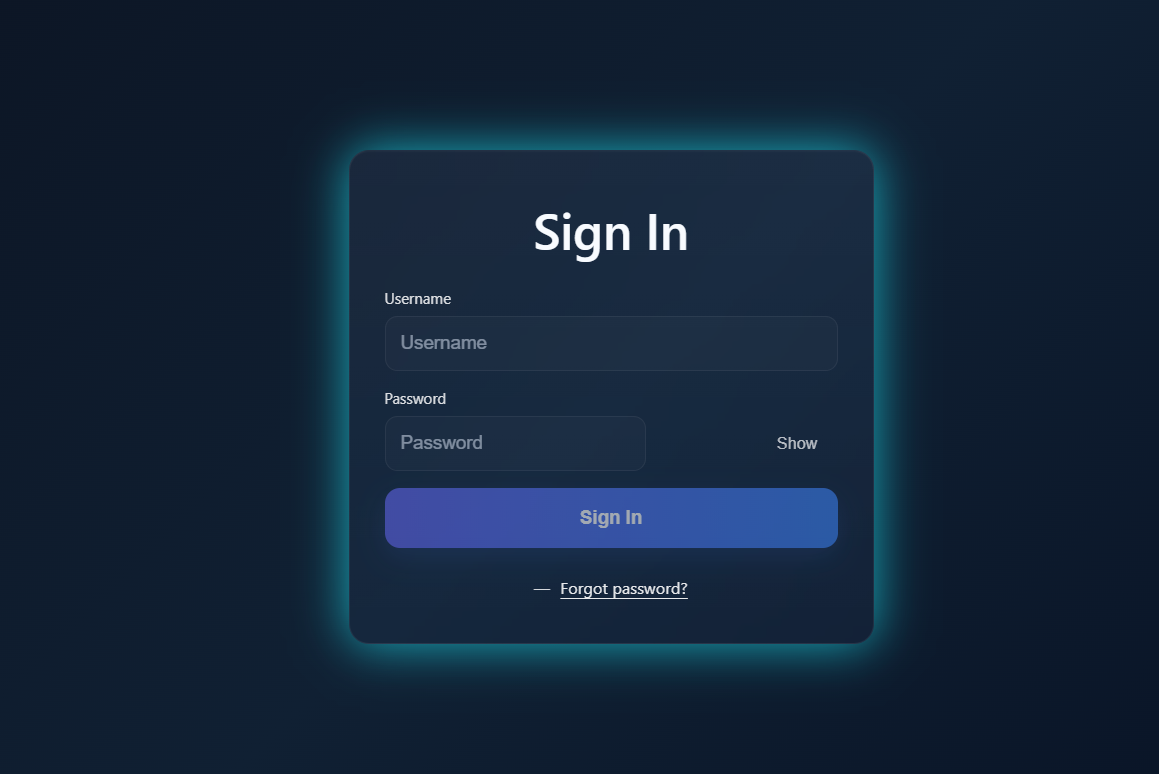
A modern Sign In form is more than just two input fields and a button. It often includes responsive layouts, clear accessibility labels, smooth focus states, and user-friendly enhancements. Adding subtle gradients, shadows, and frosted-glass effects can elevate the form into a professional UI component that users enjoy interacting with.
Why Use a Stylish Sign In Form
How to Implement the Sign In Form
The Sign In form is built in three layers. Here's how each one contributes to the final result.
HTML Structure
Start with a centered card that contains a form element.
Inside the form, include input fields for username and password, along with a "Sign In" button
and a "Forgot password?" link.
CSS Styling
Use a frosted-glass style with backdrop-filter and subtle gradients.
Rounded corners, smooth shadows, and hover states make the UI modern and inviting.
Responsive media queries ensure it adapts well to mobile screens.
JavaScript Enhancements
Add a small script to toggle password visibility between "text" and "password." Include simple form validation logic to enable or disable the Sign In button depending on whether both fields are filled.
label associations with
for attributes, ARIA labels for interactive elements, and autocomplete attributes
to improve both accessibility and browser autofill behavior.
Practical Example
Imagine a user visiting your app. They see a sleek card in the center of the screen with a gradient background and frosted effect. They type in their username and password, click the "Show" button to verify the password, and then hit "Sign In." A smooth interaction gives them confidence that the site is secure and professional.
Benefits for SEO and User Engagement
- Lower Bounce Rate: A professional login page keeps users from leaving quickly.
- Improved Accessibility: Proper labels and ARIA attributes make the form screen-reader friendly.
- Modern UI: A polished login experience encourages trust and return visits.
Common Mistakes to Avoid
- Forgetting to disable the Sign In button when fields are empty.
- Not adding password visibility toggle, which frustrates users.
- Using overly complex animations that slow down the page.
- Skipping responsive design, making the form hard to use on mobile.
Get the Source Code
The full source code for this Sign In Form project is available on GitHub Gist. Wait for the countdown below to unlock the download link.
Get the Source Code
The full source code is split across three files — index, style.css, and
script.js.
Explore the code below or wait for the countdown to get the GitHub Gist link.
/* Loading source code... */// Loading source code...index in your browser. No server or build process required —
the site runs immediately.
Frequently Asked Questions
What CSS technique creates the frosted-glass effect?
backdrop-filter: blur() combined
with a
semi-transparent background color like rgba(255, 255, 255, 0.1). Adding a subtle border and
box-shadow
completes the look.
How does the password visibility toggle work?
type attribute of the password input — if it's "password", it switches to
"text" (and vice versa). The button icon also updates to reflect the current state.
Is this form responsive on mobile devices?
max-width and percentage-based sizing to adapt to smaller screens.
Media queries adjust padding, font sizes, and the card dimensions to ensure a comfortable
touch-friendly experience on mobile.
Can I add this to an existing website?
action attribute to point to your authentication endpoint.
Does this form include backend authentication?
Conclusion
The Sign In Form is a vital part of any digital product. With HTML, CSS, and a touch of JavaScript, you can create a login page that is not only functional but also visually appealing and user-friendly. By combining accessibility, modern design, and interactivity, your Sign In page can become a polished entry point that leaves a strong impression on users.
Found this useful? Explore more HTML CSS JavaScript projects in the sidebar →