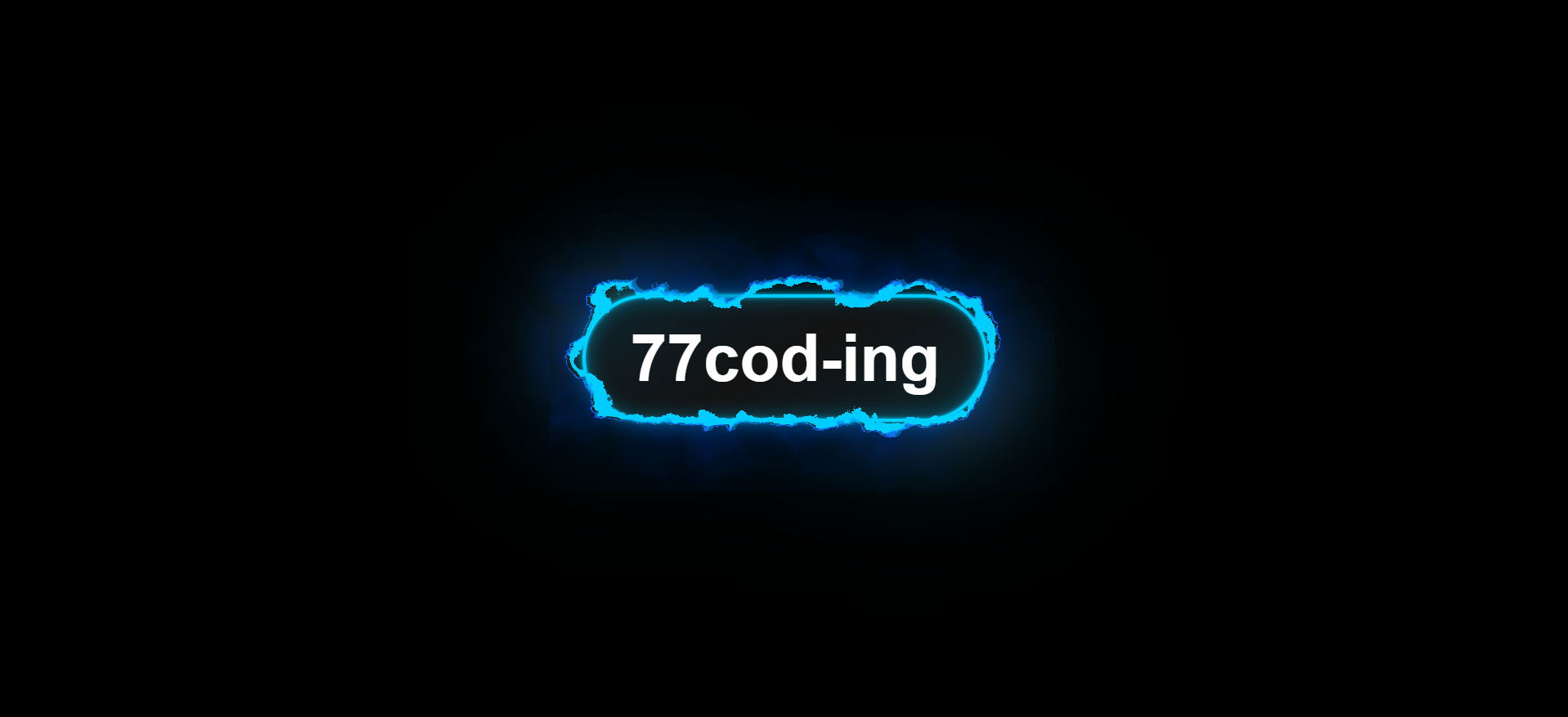
What Is an Electric Border Button?
An electric border button is a call-to-action whose outline looks alive: on hover, the border wobbles and crackles like a charged wire while a neon glow pulses around it. Instead of animating dozens of CSS properties, the effect uses an SVG filter that generates procedural noise and uses it to displace the pixels of the border.
The result feels like real electricity, yet the button itself is plain HTML: a
<button>
inside a styled container, so it stays accessible, selectable and easy to restyle.
Why Use This Design?
- Instant Attention: A crackling border pulls the eye to your main call-to-action better than a flat hover color.
- No Image Assets: The effect is generated by the browser — no GIFs, videos or sprite sheets.
- Seamless Loop: The script sizes the filter so the animation repeats with no visible jump.
- Easy to Theme: One CSS variable controls the electric color and its derived shades.
- Motion-Aware: Animations pause automatically for users who prefer reduced motion.
Key Features
feTurbulence layers create organic, never-repeating
electric motion.<animate> tags scroll the noise up, down,
left and right.prefers-reduced-motion by pausing SVG
animations.How It Works
The button is built from three cooperating pieces:
- HTML structure: a
.card-containerholding border layers, glow layers, overlays and the real<button>. - SVG filter: a hidden
<svg>defining#turbulent-displace, which makes noise and displaces pixels. - CSS: applies the filter to the border layers only on
:hoverand fades the glows in.
Inside the filter, four feTurbulence layers are scrolled in different directions by
feOffset, merged with feComposite and feBlend, and fed into
feDisplacementMap as the displacement source. A short script keeps the filter region
equal
to the real card size.
Build Steps
Define the Color Variables
Set --electric-border-color: #00ccff in :root. Derive the light and
gradient shades with oklch(from var(--electric-border-color) l c h) so every
glow shares one hue.
Build the Card Structure
Create .card-container with an .inner-container (borders and
glows), two overlays, a .background-glow, and a .content-container
that holds the button.
Style the Pill Container
Use border-radius: 50px, padding: 12px 24px and a two-layer
background: a diagonal gradient on top of a dark neutral base.
Create the SVG Turbulence Filter
Add a zero-size SVG with <filter id="turbulent-displace"> using
filterUnits="userSpaceOnUse" and four feTurbulence nodes with
baseFrequency="0.02" and six octaves.
Animate the Noise
Give each feOffset an <animate> child that loops
dy or dx over 6 seconds with calcMode="linear", so
the noise scrolls steadily.
Distort the Border on Hover
Blend the layers, then run feDisplacementMap scale="30". In CSS, apply
filter: url(#turbulent-displace) to .main-card only inside
.card-container:hover.
Add Layered Glows
Stack .glow-layer-1 (blur 1px) and .glow-layer-2 (blur 4px) with
0.4 opacity, plus a 32px-blurred .background-glow. Raise opacity on hover with
a 0.4s transition.
Sync the Filter with JavaScript
Read offsetWidth and offsetHeight, add a 40px margin, then write
the region and the values of the four <animate> tags. Re-run
with ResizeObserver and pause animations for reduced motion.
Full Source Code (Free)
The entire project lives in a single HTML file — CSS in a <style> block, the SVG
filter
in the markup, and a short script at the bottom. No libraries, no build tools. Open the file in a
modern
browser and hover the button.
⛔ Please make sure this email address is correct. Your project will be sent to this email within 48 hours after successful payment.
- Enter the email address where you will receive the project files.
- Click the "Buy" button to be directed to the PayPal payment page.
- Complete the payment process, then wait for the purchase success message.
- 48 hours after the project files arrive in your email inbox
index.html and open it in Chrome,
Edge,
Safari or Firefox. Change --electric-border-color to instantly recolor the whole
effect.
SVG Filter Primitives Comparison
| Primitive | Role | Used For | Importance |
|---|---|---|---|
feTurbulence |
Generates procedural noise | Electric pattern | Core |
feOffset + animate |
Scrolls the noise over time | Crackling motion | Core |
feDisplacementMap |
Shifts pixels using the noise | Border distortion | Core |
feComposite |
Merges noise layers | Top/bottom, left/right | Structure |
feBlend color-dodge |
Combines the two halves | Brighter noise map | Structure |
filter: blur() |
Soft glow layers | .glow-layer-1/2, .background-glow | Visual |
mix-blend-mode: overlay |
Adds highlights | .overlay-1/2 | Polish |
Tips for Better Results
- Displacement Scale:
scale="30"gives a strong crackle. Try 15–20 for a subtler wobble. - Animation Speed: Lower
durto 3s for faster electricity, or raise it for a calm shimmer. - Base Frequency: Higher
baseFrequencyvalues produce finer, more chaotic sparks. - Performance: Apply the filter only on hover, as in this project, so idle buttons cost nothing.
- Keyboard Users: Duplicate the
:hoverrules for:focus-withinor:focus-visible. - Theming: Replace hard-coded
#00ccffvalues withvar(--electric-border-color)to recolor everything from one place.
Common Mistakes to Avoid
- Animation distance not matching the region: If the offset differs from the filter size, the loop visibly jumps. Keep them equal.
- Clipped sparks: A filter region equal to the element size cuts the displaced border. Add a margin around it.
- Unit-based offsets: Positioning layers with
vw/vhmargins shifts them between screen sizes. Preferinsetand percentages. - Filter always on: Running turbulence permanently is costly. Enable it on hover or focus only.
- Forgetting pointer-events: Decorative layers must use
pointer-events: noneso the button stays clickable. - Ignoring reduced motion: Always pause the SVG animations when
prefers-reduced-motionis set.
oklch(from …) relative
color
syntax is newer than basic oklch(). Provide a plain hex fallback on the line before it
for
older browsers.
Frequently Asked Questions
How does the electric border effect work?
feTurbulence, then feDisplacementMap uses that noise to shift the
pixels of a CSS border. Because the noise keeps scrolling, the border appears to crackle
like electricity.
Why is JavaScript needed if the effect is SVG and CSS?
What does oklch(from var(--color) l c h) do?
oklch(from var(--c) 0.3 calc(c / 2) h / 0.4) for a darker, softer, translucent
shade of the same hue.
Can I change the electric color?
--electric-border-color in :root
and the derived colors update. Also replace any hard-coded color in the border and shadow
rules with the variable.Does the effect work on mobile devices?
:active or :focus-visible and keep the
displacement scale modest, since turbulence is expensive on low-end devices.Is the effect accessible?
<button>, so it is keyboard
focusable. The script pauses SVG animations when prefers-reduced-motion is
enabled. Mirror the hover styles on :focus-visible so keyboard users see the
effect too.Conclusion
The Electric Border Button shows how far SVG filters can go when combined with
modern CSS.
Turbulence noise, scrolling offsets and a displacement map turn a plain border into living
electricity,
while layered glows and oklch() colors keep the design cohesive and easy to theme.
Use it for a hero call-to-action, a gaming site or a futuristic landing page — and remember to keep the filter on hover only, size it to the card, and respect reduced-motion preferences.